Web & applications
Mobile applications
Mobile applications begin with the users and the workflows they need. I help connect interface design, features and backend requirements, then scope a practical first release for the intended platforms.
Enquire about this service ↗
HOW I CAN HELP
Put the right experience in your customer’s hand.
Application feature scope
Backend and integration planning
THE APPROACH
From the brief to a clear direction.
Yes. I can help plan and develop mobile applications, choosing the technical approach around required features, budget and the devices you need to support.
Who will use the app, the core tasks and whether you need Android, iOS or both.
THE APPLICATION
Built around the way you work.
Yes. We can assess your existing systems and available APIs, then define the data, authentication and integration requirements.
Discuss your briefMany businesses ask for an app when a good mobile website would do, and some genuinely need one. This page explains how I help decide, how I scope a first release, what the work involves from flows to launch, and what you should have clear before spending on development.
First question: does this need to be an app?
An app earns its place when people will use it repeatedly, when it needs device features such as the camera, notifications, location or offline access, or when the experience must be faster and smoother than a browser allows. A catalogue that customers browse once a year, or an informational site, usually serves better as a responsive website. Apps carry ongoing costs: updates, store policies, support for new devices and operating system versions.
I ask who the users are, what they do in a typical session, how often they would open it and what they do today without the app. If the honest answer is that a website or progressive web app can do the job, I will say so. If an app is justified, the same questions shape the scope of the first version.
Scope a first release, not the whole dream
The most reliable approach is a small first release that serves one clear group of users doing one or two core tasks well. Everything else goes on a list for later. Large first versions take longer, cost more, and are built on assumptions you cannot yet test. A release that real people use teaches you what to build next.
I help turn a wish list into a prioritised scope. For each feature we ask whether users could complete their main task without it. If yes, it moves to a later release. The result is a written scope with user flows, screens, features and the backend support required, which makes quotes comparable and reduces arguments later about what was included.
- Users and their core tasks, in order of importance.
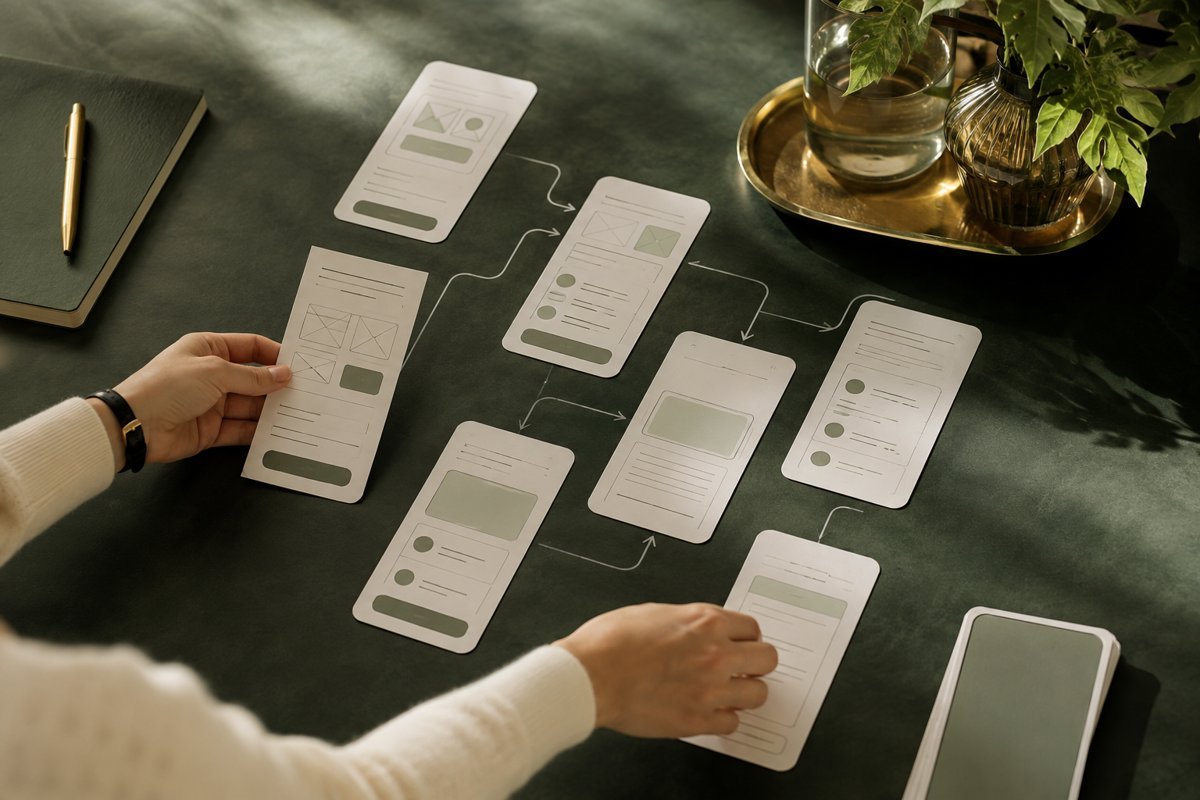
- Screens and flows, drawn as wireframes before visual design.
- Feature list split into first release and later releases.
- Backend, data and integration needs: accounts, database, payments, existing systems.
- Platforms: Android, iOS or both, with the reasons.
Design starts with flows, not screens
I map how a person moves through the app: first launch, sign-up or sign-in, the main task, what happens when something goes wrong, returning later. Wireframes test these flows cheaply. Changing a diagram costs nothing compared with changing built code. I pay attention to small-screen constraints: thumb reach, tap target size, readable text, and how the app behaves with a poor connection.
Visual design follows the flows and your identity, using platform conventions where they help. People expect certain patterns on Android and iOS, and fighting them rarely pays off. Where possible I prototype key flows so you and a few real users can try them before development. Five people struggling at the same point is strong evidence, and it is far cheaper to learn it at prototype stage.
Accessibility is part of the same work. Sufficient colour contrast, support for larger text sizes, meaningful labels for screen readers and tap targets that are easy to hit all widen your audience. They are far easier to build in from the first wireframe than to retrofit onto a finished interface.
Choosing the technical approach
Options include native development for each platform, cross-platform frameworks that share most code, and web-based approaches. Native gives the most control over performance and device features. Cross-platform can reduce effort when both platforms are needed and the app is not graphically demanding. The choice depends on required features, budget, the team who will maintain it and the devices you need to support.
The backend deserves equal attention. Most apps need user accounts, a database, an API, file storage, notifications, and often a connection to your existing software. We assess available APIs, authentication and data requirements early. Security and privacy are part of the design: what data you collect, how it is stored, and what your privacy policy must say. Legal obligations vary by country and by user type, so take advice for sensitive data.
Maintenance should be priced into the plan. Developer accounts, hosting, third-party service fees, security updates and compatibility fixes recur every year, and a first release without a maintenance budget is a project waiting to go stale. I include a realistic view of these running costs when scoping.
Testing, store approval and release
Before release the app needs testing on real devices across screen sizes and operating system versions, under weak connections, and with unusual user behaviour. Then come the app store requirements: accounts, listing text, screenshots, privacy declarations and compliance with each store's review guidelines. Review times and rejection reasons vary, so leave room in the schedule for a resubmission.
A store listing is also a marketing page. The name, screenshots and description influence whether people install. If store visibility matters to you, plan for it as part of the launch. After release, you will need crash reporting and analytics to see how people use the app, and a process for updates, since both platforms release new operating system versions regularly.
Keep a small group of real users involved in testing before the public release. Invite them through the stores' own beta channels, ask them to complete the core task without help, and watch where they hesitate. A handful of honest sessions often reveals problems that internal testing never finds.
Mistakes I see
Building for both platforms with every feature at once. Skipping user testing because it feels slow. Treating launch as the end, when it is where learning begins. Having no plan for who maintains the app, handles support and pays for developer accounts and hosting. Ignoring onboarding, so new users open the app, see an empty state and leave.
Another is assuming that an app brings its own users. Downloads need promotion, a reason to install and a reason to return. Without a plan for acquisition and retention, even a well-built app sits unused. Also be cautious about asking for permissions, such as location or notifications, before the user has seen any value. Timing and explanation matter.
Ship a small version that real users can test. The second release should be shaped by them, not by guesses.
What I need from you, and how success is judged
Who will use the app and why, the core tasks, existing systems it should connect to, whether you need Android, iOS or both, any brand assets, and your target date and budget range. Examples of apps you admire help, as do details of competing or substitute tools. Name one person who can decide on scope trade-offs quickly.
Success should be defined before building: for instance, number of active users completing the main task, repeat usage, support requests, or time saved for your team. I do not offer benchmark figures, as they vary widely. The work connects with Website design and development for the web counterpart, E-commerce experiences if the app sells products, and Brand strategy and positioning if the offer for app users is still unclear.
When this is not the right move
If your idea is untested, build a clickable prototype or a simple web version first. Learning that nobody wants the feature costs far less before development. If your users mostly arrive from search or social links and rarely return, a fast mobile website is likely the better investment.
Also hold back if you cannot fund maintenance. An app left without updates degrades, and stores may remove apps that no longer meet requirements. I would rather scope something modest that you can keep running than something ambitious that stalls after launch.
WAYS TO WORK TOGETHER
A focused project. Or ongoing support.
Start with a strategy session. We can then agree a project brief, a focused consultation or an ongoing engagement around your priorities.
YOUR QUESTIONS, ANSWERED
Mobile applications FAQs
Scope, preparation and what happens next.
Can you help with both Android and iOS applications?
Yes. I can help plan and develop mobile applications, choosing the technical approach around required features, budget and the devices you need to support.
Can an app connect to my existing software?
Yes. We can assess your existing systems and available APIs, then define the data, authentication and integration requirements.
What should I prepare for our first conversation?
Who will use the app, the core tasks and whether you need Android, iOS or both.
How are the scope and timeline agreed?
I review your requirements, starting material and target date before proposing milestones. For mobile applications, the schedule depends on complexity, review rounds and the access or assets needed.
How much does this service cost?
Start with a strategy session at ₹2,999 + GST. A digital audit starts from ₹19,999 + GST, and ongoing monthly options start at ₹50,000 + GST for SEO consulting or ₹75,000 + GST for a consulting retainer. Project delivery is scoped and quoted separately; we can choose the right arrangement for your brief.